



Note: Please check your Spam or Junk folder, in case you didn't receive the email with verification code.

 English
Linear: Sequential Order
The course on Data Analysis using Excelequips students with practical skills to manage, analyze, and visualize data effectively using Microsoft Excel. It introduces the fundamentals of worksheets, data entry, formulas, and functions, and progresses to charting, descriptive statistics, and advanced statistical analysis including probability distributions, hypothesis testing, and regression. The course also covers pivot tables and correlation analysis, enabling students to derive meaningful insights from datasets and make informed data-driven decisions.
|
COs |
Course Outcomes |
Knowledge Level |
|
CO1 |
Demonstrate Data Management in Worksheet. Organize the data in worksheet |
K2 |
|
CO2 |
Interpret Formulas in an Excel Spread sheet. Selects formulas for calculating the data in a spread sheet |
K2 |
|
CO3 |
Apply Statistical and Mathematical functions for given samples. Manipulate the data with statistical and Mathematical functions |
K3 |
|
CO4 |
Apply the types of chart to analyse the data. Display the chart for any real time data. |
K3 |
|
CO5 |
Explain Analysis Toolpack for statistical concepts. Starts to work with Analysis Toolpack. |
K2 |
|
Module 1: INTRODUCTION TO WORKSHEET |
|
|
|
Getting Started with Excel: Excel and Spread Sheets – Excel Workbooks and Worksheets – Worksheet Cells - Excel Add-Ins – Working with Data: Data Entry – Formulas and Functions – Querying Data – Importing Data from Databases. |
||
|
Module 2: DATA ANALYSIS IN CHARTS |
|
|
|
Working with Charts: Excel Charts – Scatter Plots – Editing a chart – Identifying Data Points: Creating Bubble Plots – Breaking a scatter plot into categories – Plotting Several Variable. |
||
|
Module 3: STATISTICAL ANALYSIS |
|
|
|
Describe Data: Variables and Descriptive Statistics - Frequency Tables : Creating a Frequency Table – Using Bins in a Frequency Table – Working with Histograms – Distribution Statistics – Percentiles and Quartiles – Measures of the Center: Means, Medians and the Mode – Measures of Variability – Working with Boxplots. |
||
|
Module 4: STATISTICAL ANALYSIS – Part I |
|
|
|
Probability Distributions – Normal Distributions – Excel Worksheet Functions – Confidence Intervals – Hypothesis Testing – “t” Distribution. |
||
|
Module 5: STATISTICAL ANALYSIS – Part II |
|
|
|
Pivot tables – Performing a Regression Analysis – Checking the Regression Model – Correlation – Creating Correlation Matrix. |
||
 Module - 1 - Introduction to Worksheet
 Module - 1 -Introduction to Worksheet
20 Questions
Module - 2 - Data Analysis in Charts
Module - 2 -Data Analysis in Charts
20 Questions
Module - 3 -Statistical Analysis
Module - 3 -Statistical Analysis
20 Questions
Module - 4 - Statistical Analysis – Part I
Module - 4 -Statistical Analysis – Part I
20 Questions
Module - 5 - Statistical Analysis – Part II
Module - 5 -Statistical Analysis – Part II
20 Questions
FINAL TEST
50 Questions
Module - 1 -Introduction to Worksheet
20 Questions
Module - 2 - Data Analysis in Charts
Module - 2 -Data Analysis in Charts
20 Questions
Module - 3 -Statistical Analysis
Module - 3 -Statistical Analysis
20 Questions
Module - 4 - Statistical Analysis – Part I
Module - 4 -Statistical Analysis – Part I
20 Questions
Module - 5 - Statistical Analysis – Part II
Module - 5 -Statistical Analysis – Part II
20 Questions
FINAL TEST
50 Questions
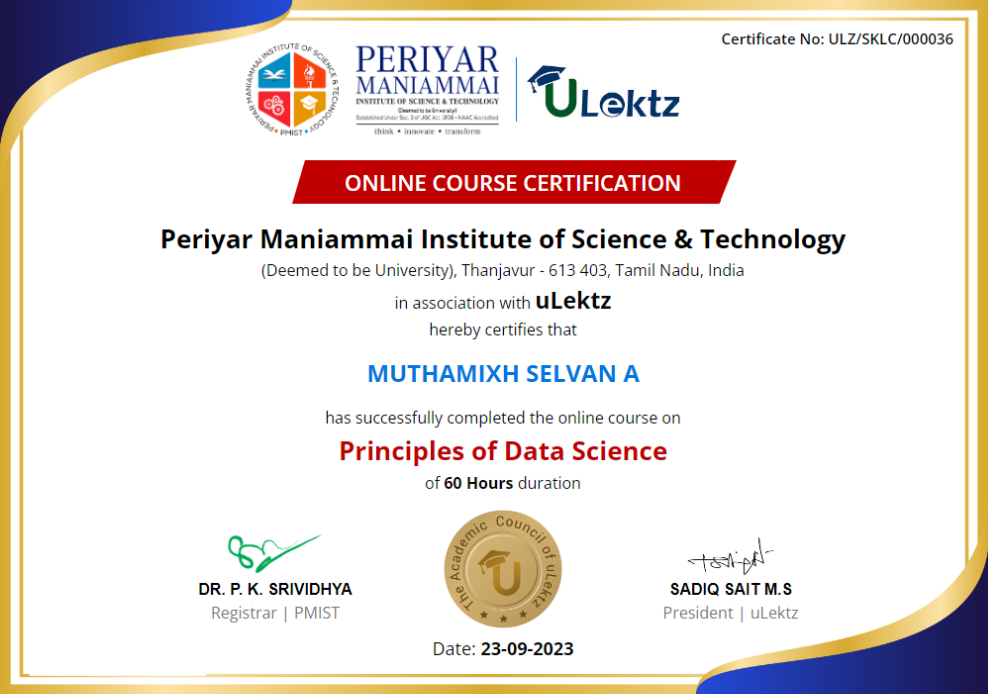
The certificate issued for the Course will have
Only the e-certificate will be made available. No Hard copies. The certificates issued by Periyar Maniammai Institute of Science & Technology (PMIST). can be e-verifiable at www.ulektzskills.com/verify.

 90 hours Learning Content
 100% online Courses
 English Language
 Certifications
Recommended Courses
See more
 90 hours of Learning Content


90 hours of Learning Content

180 hours of Learning Content

90 hours of Learning Content

90 hours of Learning Content
90 hours of Learning Content


 0
0



 Course Enrollment